


VideoSDK is the best overall SignalWire alternative for teams that want broad SDK coverage, prebuilt and custom UI options, and transparent usage pricing. Choose LiveKit for open-source control, Daily for the fastest embedded launch, Agora for global RTC depth, or Zoom Video SDK for large branded sessions.
If you are comparing SignalWire alternatives for programmable video, ignore rankings built around SMS, SIP trunks, or contact-centre software. This guide evaluates video calling APIs only.
We ranked ten platforms using a documented 100-point framework covering video controls, SDK breadth, UI speed, documentation, pricing, and operations. VideoSDK ranks first for its balanced developer experience. LiveKit and Daily follow for open-source flexibility and fast implementation.
Scope: Video calling APIs and SDKs for embedding real-time audio and video into web, mobile, desktop, or game applications.
Research date: Pricing, documentation, and product status checked on 27 July 2026.
Transparency note: VideoSDK publishes this article and is also a ranked provider. To reduce publisher bias, every score uses the same criteria and each provider includes a clear limitation.
What "expert tested" means here: We completed a reproducible desk audit of official documentation, SDK coverage, quickstarts, authentication flows, UI options, production controls, and published pricing. We did not run instrumented network, latency, or quality tests, so this article makes no independent performance claims.
The best SignalWire alternatives at a glance
VideoSDK is the strongest all-round choice, but the right platform depends on how much control, speed, scale, and operational ownership your team wants.
- VideoSDK: Best overall balance of SDK coverage, customisation, prebuilt UI, and clear participant-minute pricing.
- LiveKit: Best for open-source infrastructure and teams that want a self-hosting path.
- Daily: Best for shipping embedded video quickly with a polished prebuilt component.
- Agora: Best for broad real-time engagement capabilities and extensive platform coverage.
- Zoom Video SDK: Best for large branded sessions built on Zoom's media stack.
- 100ms: Best for role-based live classes, communities, and interactive events.
- Vonage Video API: Best for teams already using Vonage communications APIs.
- Twilio Video: Best for existing Twilio customers that need a maintained, familiar video product.
- ZEGOCLOUD: Best for teams that want a broad catalogue of video and live-streaming kits.
- Whereby Embedded: Best for simple browser-based meetings with minimal UI work.
How we ranked the best SignalWire alternatives
Our ranking measures product fit for programmable video, not overall company size, popularity, or the breadth of each vendor's communications portfolio.
| Criterion | Weight | What we checked |
|---|---|---|
| Core video and production controls | 25 | Rooms, roles, screen sharing, recording, streaming, moderation, media controls, and session limits |
| SDK and platform breadth | 20 | Web, Android, iOS, React Native, Flutter, desktop, Unity, and server-side tooling |
| UI shipping speed | 15 | Prebuilt UI, UI kits, reusable components, and custom UI paths |
| Documentation and implementation | 15 | Quickstarts, authentication flow, examples, API consistency, and migration guidance |
| Pricing transparency and access | 15 | Public rates, free allowance, billing clarity, and extra feature charges |
| Deployment and operations | 10 | Managed service, self-hosting options, observability, regional controls, and enterprise readiness |
Scores are editorial assessments from the documented audit above. A two-point difference should not replace a proof of concept using your actual devices, regions, and call patterns.
| Rank | Provider | Core video /25 | SDK breadth /20 | UI speed /15 | Docs /15 | Pricing /15 | Operations /10 | Total /100 |
|---|---|---|---|---|---|---|---|---|
| 1 | VideoSDK | 23 | 20 | 14 | 14 | 14 | 7 | 92 |
| 2 | LiveKit | 24 | 19 | 12 | 14 | 11 | 9 | 89 |
| 3 | Daily | 22 | 17 | 15 | 14 | 13 | 6 | 87 |
| 4 | Agora | 24 | 20 | 11 | 13 | 10 | 8 | 86 |
| 5 | Zoom Video SDK | 23 | 19 | 14 | 13 | 8 | 7 | 84 |
| 6 | 100ms | 22 | 17 | 13 | 13 | 11 | 6 | 82 |
| 7 | Vonage Video API | 22 | 16 | 11 | 13 | 11 | 7 | 80 |
| 8 | Twilio Video | 21 | 13 | 10 | 13 | 13 | 8 | 78 |
| 9 | ZEGOCLOUD | 21 | 19 | 11 | 11 | 8 | 7 | 77 |
| 10 | Whereby Embedded | 19 | 12 | 15 | 13 | 11 | 4 | 74 |
SignalWire video pricing and architecture as the baseline
SignalWire is a strong baseline for teams that value cloud-side media composition, programmable room layouts, recording, and a unified media stream.
SignalWire's Cloud Video product describes a cloud MCU architecture that mixes participant media before delivery. Its published features include room layouts, recording, streaming, screen sharing, and support for up to 300 interactive participants. The current SDK list emphasises JavaScript, Node.js, and React Native.
The SignalWire video pricing page lists Video API usage from $0.0045 per participant-minute for standard 720p video. Full HD, recording, and streaming can add cost. Verify the current rate and resolution tier in your account before modelling a migration.
That architecture can simplify layout consistency and recording workflows. It can also make SignalWire a different design choice from platforms centred on selective forwarding units, client-side composition, or open-source deployment. The best alternative therefore depends on whether your priority is managed mixing, SDK reach, UI speed, infrastructure control, or a particular event format.
SignalWire alternatives pricing comparison
Headline participant-minute rates are useful for screening, but they are not a complete total-cost comparison.
| Provider | Public video entry point checked 27 July 2026 | Important billing note |
|---|---|---|
| SignalWire | From $0.0045 per participant-minute at 720p | Full HD, recording, streaming, and prebuilt products have separate rates |
| VideoSDK | $0.004 per participant-minute | Public page includes $20 free credit; recording and streaming are separate |
| LiveKit Cloud | Build free; Ship from $50/month | Connection minutes and downstream data are billed separately after allowances |
| Daily | First 10,000 participant-minutes free, then $0.004 per participant-minute | Recording and streaming add cost |
| Agora | First 10,000 minutes free, then from $3.99 per 1,000 minutes | Resolution and add-on choices can change cost |
| Zoom Video SDK | Credit-based usage pricing | Use Zoom's calculator or account quote for the current effective rate |
| 100ms | First 10,000 conferencing minutes free, then $0.004 per participant-minute | Recording and streaming are separate |
| Vonage Video API | $0.00410 per participant-minute | Archiving, broadcast, and other advanced features can add charges |
| Twilio Video | $0.004 per participant-minute for Group Rooms | Participant recording and compositions are billed separately |
| ZEGOCLOUD | First 10,000 minutes free, then from $3.99 per 1,000 participant-minutes | Pricing varies across its wider product catalogue |
| Whereby Embedded | Free Explore tier; Build from $9.99/month with 2,000 minutes | Additional usage is $0.004 per participant-minute; add-ons cost extra |
Pricing formula: monthly video cost is usually participant count multiplied by call duration multiplied by monthly sessions, plus recording, streaming, storage, egress, transcription, telephony, and support.
A 30-minute call with six participants consumes 180 participant-minutes, not 30. Model peak concurrency and add-ons alongside the headline rate.
1. VideoSDK: Best overall SignalWire alternative
VideoSDK ranks first because it combines broad platform coverage, two UI paths, and a simple public video rate without forcing every team into the same implementation model.
The VideoSDK documentation covers JavaScript, React, React Native, Android, iOS, Flutter, Unity, Python, and C++, among other implementation paths. Teams can use VideoSDK Prebuilt to launch quickly or build a custom interface around lower-level meeting APIs.
This breadth matters when a SignalWire migration must support both browser and native applications. It reduces the need to evaluate a separate vendor for each client platform. The room, participant, media, recording, streaming, and token concepts are also familiar to developers who have used programmable video APIs.
VideoSDK's live pricing page lists video calls at $0.004 per participant-minute and includes $20 in free credit. Separate rates apply to audio-only sessions, recording, streaming, transcription, and other services. Always model the exact feature set rather than multiplying the base rate alone.
Best for: SaaS products, telehealth, education, marketplaces, communities, and support applications that need broad SDK reach with both fast and custom UI options.
Why it placed first: It has the most balanced score across SDK breadth, implementation speed, documentation, and pricing clarity for the scope of this ranking.
Limitation: VideoSDK is the publisher of this comparison. Its first-place position should be validated with a proof of concept, especially if self-hosting or a specialised compliance requirement is central to your decision.
2. LiveKit: Best open-source SignalWire alternative
LiveKit is the best option for teams that want an open-source media stack, a managed cloud, and a credible path to deeper infrastructure control.
The LiveKit connection documentation describes client SDKs for JavaScript, Swift, Android, React Native, Flutter, C++, and Unity, plus server SDKs. That coverage supports products spanning web, mobile, desktop, and spatial or game experiences.
LiveKit's main differentiator is deployment choice. Teams can use LiveKit Cloud or operate the open-source stack themselves. This can be valuable when infrastructure ownership, regional deployment, or custom media workflows outweigh the simplicity of a fully managed API.
Pricing is not directly comparable with a flat participant-minute rate. LiveKit Cloud pricing combines plans, included WebRTC connection minutes, participant concurrency, and data transfer. The Build tier is free, while paid tiers start at $50 per month. Downstream data can materially affect total cost for video-heavy workloads.
Best for: Engineering-led teams that want open-source flexibility, self-hosting potential, or tight control over the media layer.
Why it placed second: Its core media and operational flexibility are excellent, but cost modelling and infrastructure choices require more effort than a simple managed rate.
Limitation: Self-hosting shifts reliability, upgrades, scaling, observability, and incident response to your team. Managed Cloud pricing also needs a model that includes minutes and data transfer.
3. Daily: Best for launching embedded video quickly
Daily is the strongest choice when your priority is a polished prebuilt experience that can later expand into a custom interface.
Daily's documentation offers Daily Prebuilt, custom client SDKs, and coverage for JavaScript, React, React Native, Android, iOS, Flutter, and Python. Its prebuilt component is particularly useful for teams that need a credible meeting experience before investing in a dedicated RTC interface.
Daily also provides lower-level APIs for teams that need custom layouts, media controls, recording, live streaming, or app-specific workflows. This creates a practical progression from prototype to tailored product without changing providers.
Daily video pricing includes the first 10,000 participant-minutes each month, followed by a published rate of $0.004 per participant-minute in the first paid tier. Recording, streaming, and other services have separate charges.
Best for: Startups and product teams that want to embed reliable browser or mobile calls with minimal UI development.
Why it placed third: Daily earns the highest UI shipping score, with strong documentation and transparent entry pricing.
Limitation: Teams with a strict self-hosting requirement or unusually deep infrastructure customisation may prefer an open-source platform such as LiveKit.
4. Agora: Best for broad real-time engagement coverage
Agora is a strong SignalWire alternative for teams that need extensive SDK coverage and a mature catalogue of real-time engagement capabilities.
The Agora Video Calling product supports programmable video across a broad set of platforms and use cases. Agora also offers adjacent products for interactive live streaming, chat, signalling, and engagement features, which can reduce vendor sprawl for complex real-time applications.
Agora pricing starts at $3.99 per 1,000 minutes for video calling, with the first 10,000 minutes free each month. The effective bill depends on resolution, service category, recording, streaming, and selected add-ons. Teams should reproduce their expected usage in Agora's pricing tools before comparing it with a single flat rate.
Agora is particularly credible for applications that need broad device coverage or expect to grow beyond straightforward meeting rooms. However, its product breadth also means buyers must choose the correct SDK and billing category.
Best for: Large consumer, social, education, gaming, and live-engagement products with diverse client platforms.
Why it placed fourth: Agora scores highly on core video and SDK breadth, but its wider catalogue creates more pricing and product-selection complexity.
Limitation: The number of products, add-ons, and pricing dimensions can slow evaluation. Build a narrow bill of materials before beginning the proof of concept.
5. Zoom Video SDK: Best for large branded sessions
The Zoom Video SDK is the right comparison point when you want Zoom's media technology inside your own interface rather than a standard Zoom Meeting.
The Zoom Video SDK documentation lists SDKs for iOS, Android, macOS, Windows, Web, React Native, Linux, Flutter, and Unity. Zoom also provides a UI Toolkit for teams that want reusable meeting components without adopting the familiar Zoom Meeting interface.
Zoom states that Video SDK sessions can support up to 5,000 users, subject to product configuration and commercial terms. This makes it relevant for large classes, events, customer sessions, and branded collaboration products.
The important architectural distinction is that a Video SDK session is your application's session. It does not simply embed an ordinary Zoom Meeting, and its feature model differs from the Zoom Meetings product.
Zoom developer pricing uses credits and usage-based billing. Because a single public participant-minute rate is not clearly exposed for every scenario, teams should use the calculator or request an account-specific quote.
Best for: Enterprises and event products that need large branded sessions and broad native-platform coverage.
Why it placed fifth: Zoom combines scale, SDK reach, and a UI toolkit, but pricing is less immediately comparable.
Limitation: Buyers sometimes assume Video SDK includes every Zoom Meetings feature. Confirm each required feature, integration, and compliance control in the Video SDK documentation.
6. 100ms: Best for role-based classes and live communities
100ms is a strong choice for products built around explicit roles, such as host, teacher, learner, speaker, moderator, or viewer.
The 100ms documentation supports web, Android, iOS, Flutter, and React Native. Its room templates and role model help teams define publishing permissions and stage behaviour without scattering the rules across client applications.
100ms offers both prebuilt and custom UI paths. That combination suits virtual classrooms, fitness products, live communities, webinars, and audio-video social experiences where participant permissions change during a session.
100ms pricing includes 10,000 conferencing minutes each month, followed by $0.004 per participant-minute. Recording, live streaming, transcription, and other services are billed separately.
Best for: Education, coaching, events, communities, and interactive broadcasts that need clear role and stage logic.
Why it placed sixth: The role-based model and UI options are well suited to structured live experiences, with a competitive published entry rate.
Limitation: Teams should confirm how templates, roles, recording, and streaming map to their existing SignalWire room model before estimating migration effort.
7. Vonage Video API: Best for existing Vonage customers
Vonage Video API is most compelling when video is part of a wider Vonage communications architecture or an existing enterprise relationship.
The Vonage Video API overview covers sessions, publishers, subscribers, screen sharing, archiving, and broadcast. Client and server tooling supports common web, mobile, and backend environments.
Vonage video pricing lists $0.00410 per participant-minute. New customers can receive trial minutes, while archiving, broadcast, SIP, and other advanced features may have separate rates.
Vonage is a proven option for consultation, telehealth, education, and customer-engagement workflows. Its value increases when your team can consolidate video with other Vonage APIs or reuse established security, procurement, and support arrangements.
Best for: Enterprises that already use Vonage or want video within a broader communications portfolio.
Why it placed seventh: Core video capabilities and public pricing are solid, but the platform is less differentiated for a video-only greenfield project.
Limitation: Extra feature charges can change the total. Compare a complete room, recording, broadcast, and support configuration rather than the base participant-minute rate.
8. Twilio Video: Best for existing Twilio stacks
Twilio Video remains a supported standalone product, despite older articles that still claim it is shutting down.
Twilio initially announced an end-of-life plan, then reversed it. Its October 2024 product update says Twilio Video will remain a standalone product. Any 2026 comparison that repeats the shutdown claim without this correction is stale.
The Twilio Video overview provides official SDK paths for JavaScript, Android, and iOS. The room and participant model is familiar to teams already using Twilio APIs, authentication, logging, and account controls.
Twilio Video pricing lists Group Rooms at $0.004 per participant-minute. Participant recording adds another $0.004 per recorded participant-minute, and compositions have a separate charge.
Best for: Existing Twilio customers that value account consolidation and do not require the broadest client SDK list.
Why it placed eighth: Twilio is maintained, documented, and competitively priced, but its official video SDK breadth is narrower than higher-ranked options.
Limitation: Product strategy changed once already. Buyers should verify the current roadmap, SDK maintenance cadence, and long-term fit during procurement.
9. ZEGOCLOUD: Best for a broad catalogue of engagement kits
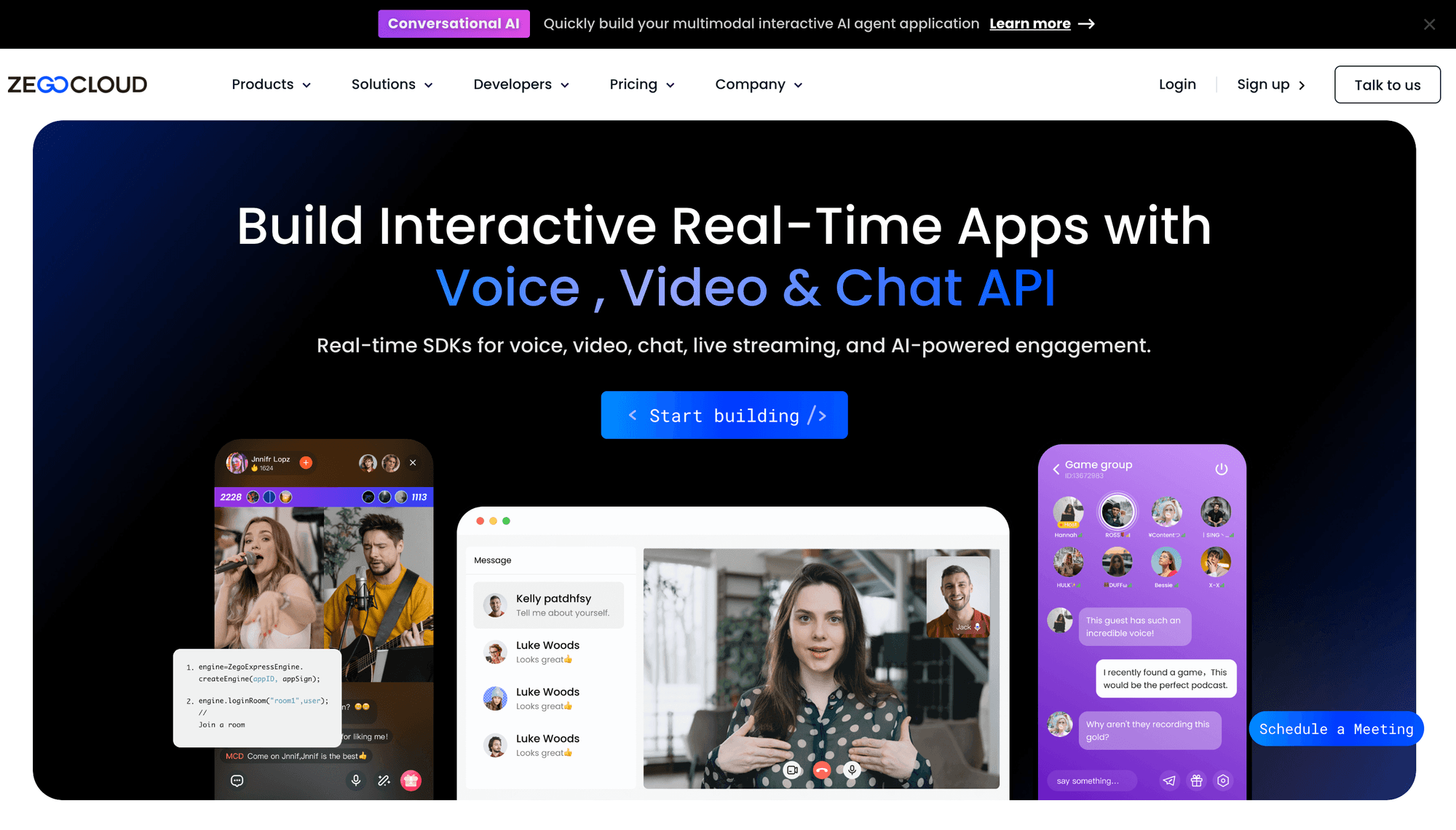
ZEGOCLOUD suits teams that want video calling alongside live streaming, voice, chat, and reusable engagement kits across many client platforms.
The ZEGOCLOUD API centre lists support for iOS, Android, Web, Flutter, React Native, Electron, Unity, Windows, macOS, Linux, and other environments. This breadth is useful for products spanning consumer mobile, desktop, web, and game clients.
ZEGOCLOUD pricing lists Video Call from $3.99 per 1,000 participant-minutes, with 10,000 free minutes. Its broader catalogue has additional service categories and rates, so the exact bill depends on the selected kit, resolution, recording, streaming, and messaging features.
Best for: Social, live-streaming, gaming, and entertainment applications that need a wide platform matrix and several engagement products.
Why it placed ninth: SDK coverage is excellent, but documentation navigation and pricing comparison are more complex than the leaders in this video-only ranking.
Limitation: The large product catalogue can make it harder to identify the minimum required stack. Confirm the exact APIs and billing units before implementation.
10. Whereby Embedded: Best for simple browser meetings
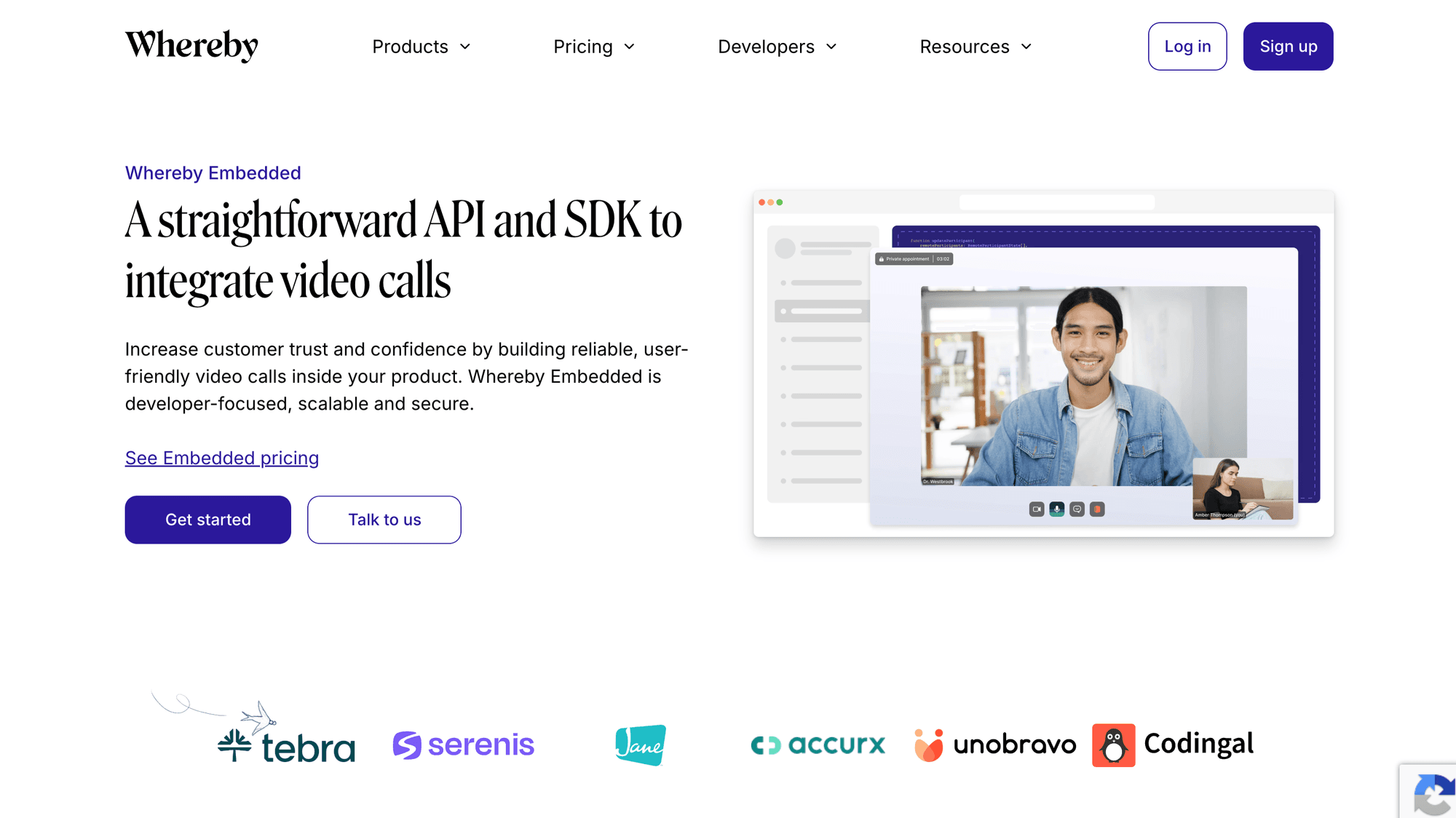
Whereby Embedded is the easiest option for teams that want a familiar browser meeting experience with very little interface work.
Whereby's embedded product centres on room URLs and a prebuilt meeting interface. This can be a good fit for appointments, interviews, customer support, remote expertise, and marketplaces where the meeting is important but not the application's main differentiator.
Whereby Embedded pricing offers a free Explore tier with up to 2,000 participant-minutes each month. The Build plan starts at $9.99 per month, includes 2,000 minutes, and charges $0.004 per additional participant-minute. Recording, transcription, and HIPAA-related options add cost.
Best for: Small teams that want to add clean browser-based meetings without building a complete real-time interface.
Why it placed tenth: It leads on UI speed and simplicity, but offers less low-level control and a narrower platform strategy than the other SignalWire alternatives.
Limitation: Whereby's opinionated meeting experience is less suitable when video controls, layout, media processing, or native SDK behaviour are core product differentiators.
Video API lifecycle watchlist for 2026
Product status changes can invalidate an otherwise accurate SignalWire alternatives list, so verify lifecycle notices before shortlisting a provider.
Twilio Video is not shutting down
Twilio reversed its earlier end-of-life plan in October 2024 and says Video remains a standalone product. Check the current changelog, not older comparison posts.
Dyte SDKs are in maintenance mode
Dyte's RealtimeKit migration guide says its SDKs are in maintenance mode and no longer receive feature updates or bug fixes. New evaluations should focus on Cloudflare RealtimeKit rather than ranking Dyte as a normal standalone alternative.
Cloudflare RealtimeKit is still in beta
Cloudflare's RealtimeKit overview labels the product Beta. Its pricing page says beta usage is free and lists planned general-availability pricing of $0.002 per audio-video participant-minute.
RealtimeKit is worth monitoring, but beta status keeps it outside this production-focused top ten. Reassess it when Cloudflare announces general availability, final service limits, support terms, and production SLAs.
How to choose a SignalWire alternative
Choose the platform that best fits your product architecture, team, and call profile, not the platform with the highest general score.
Choose by implementation model
- Choose VideoSDK when you want prebuilt and custom UI paths across a wide range of client SDKs.
- Choose LiveKit when open source, self-hosting potential, or infrastructure control is a primary requirement.
- Choose Daily when launch speed and a polished embedded interface matter most.
- Choose Whereby when a simple browser meeting is enough and deep media customisation is unnecessary.
Choose by session format
- Choose 100ms for role-heavy classrooms, stages, and communities.
- Choose Zoom Video SDK for large branded sessions and broad native-platform support.
- Choose Agora or ZEGOCLOUD for consumer engagement products that extend beyond standard meetings.
- Choose SignalWire when cloud mixing and server-composed layouts remain central.
Choose by existing vendor stack
- Choose Twilio Video if your team already depends on Twilio accounts, tooling, and operational processes.
- Choose Vonage Video API when video belongs inside a wider Vonage communications deployment.
- Choose VideoSDK, Daily, or LiveKit for a more video-focused greenfield evaluation.
Choose by total cost, not the base rate
Build a monthly model with:
- Average and peak participants per room.
- Average call duration.
- Calls per month.
- Video resolution and simulcast needs.
- Recording and composition minutes.
- Streaming and viewer minutes.
- Storage, egress, transcription, and telephony.
- Support plan and minimum platform fees.
- Engineering cost for custom UI and operations.
- Expected volume discounts.
Then run a representative proof of concept in your most important countries, browsers, devices, and network conditions.
When should you keep SignalWire?
Keep SignalWire when its cloud MCU, layout controls, recording workflow, and current SDK coverage already match your product better than a migration would.
Switching providers has real costs: client rewrites, token changes, room mapping, recording migration, analytics changes, compliance review, QA, and operational retraining. A small participant-minute saving may not repay that work.
SignalWire may remain the better choice when:
- You rely on server-composed layouts or a unified mixed stream.
- JavaScript, Node.js, and React Native cover your client needs.
- Current recording and streaming workflows are stable.
- The 720p and Full HD pricing structure fits your quality targets.
- Your team already has reliable monitoring, support, and operational knowledge.
- No alternative creates a meaningful improvement in product capability or total cost.
The best SignalWire alternative is sometimes no migration at all. Use the same decision framework to justify staying.
How to migrate from SignalWire to another video API
A safe migration separates product behaviour from provider-specific APIs before moving production traffic.
- Inventory the current implementation. List room creation, token generation, participant roles, screen sharing, device controls, layouts, recording, streaming, webhooks, moderation, analytics, and data retention.
- Define non-negotiable requirements. Set target platforms, concurrency, regions, quality, accessibility, compliance, support, and recovery objectives.
- Normalise the data model. Map SignalWire rooms, participants, permissions, tracks, recordings, and callbacks to provider-neutral application concepts.
- Build a server-side adapter. Keep provider credentials and token generation on the server. Expose a stable internal interface to your clients.
- Recreate the smallest complete call. Implement join, publish, subscribe, mute, camera switch, leave, and error recovery before advanced features.
- Add production workflows. Migrate screen sharing, roles, moderation, recording, streaming, layouts, webhooks, and analytics one feature at a time.
- Test representative conditions. Cover your priority browsers, operating systems, devices, regions, corporate networks, low bandwidth, reconnects, and permission failures.
- Run both providers in parallel. Route internal users or a small cohort to the new platform while retaining a rollback path.
- Compare complete cost and reliability. Measure participant minutes, add-ons, failed joins, reconnects, support effort, and engineering time.
- Cut over gradually. Increase traffic by cohort, monitor each step, and retire SignalWire only after recordings, data, and rollback obligations are complete.
Do not expose API secrets in browser or mobile code. Generate short-lived meeting tokens on a trusted server, and use the provider's current authentication guide.
Key video API terms
These definitions make pricing and architecture comparisons easier.
Participant-minute: One participant connected for one minute. Six people in a 30-minute call use 180 participant-minutes.
MCU: A multipoint control unit decodes and mixes media on the server before sending composed output.
SFU: A selective forwarding unit routes media tracks between participants without producing one mixed stream for every receiver.
Prebuilt UI: A vendor-provided meeting interface that can be embedded with limited code.
UI kit: Reusable interface components that can be composed into a branded meeting experience.
Custom SDK: Lower-level APIs used to build the interface and interaction model from scratch.
Simulcast: Publishing multiple quality layers so the service can select an appropriate stream for each receiver.
Recording composition: Processing participant tracks into a viewable output layout.
Egress: Media or data transferred out of a provider's network, sometimes billed separately.
WebRTC: The browser and native technology foundation used by many real-time audio and video products.
Final verdict on the best SignalWire alternatives
VideoSDK is the best overall SignalWire alternative in this 2026 video API ranking because it combines broad SDK coverage, prebuilt and custom UI paths, clear participant-minute pricing, and accessible documentation.
LiveKit is the stronger choice for open-source control. Daily is the fastest route to a polished embedded experience. Agora and Zoom Video SDK suit broad platform or large-session requirements, while 100ms stands out for role-based live formats.
Do not decide from the ranking alone. Shortlist two or three providers, model your complete bill, and run the same proof of concept against your real call flows. If SignalWire's cloud mixing and current workflows still fit best, keeping it is a valid result.
To evaluate VideoSDK directly, start with the VideoSDK documentation and reproduce one representative room with your required platforms, roles, recording, and network conditions.
Which requirement is hardest in your SignalWire migration: SDK coverage, media architecture, recording, pricing, or operational control?
Frequently asked questions about SignalWire alternatives
What is the best SignalWire alternative for video-calling APIs?
VideoSDK is the best overall SignalWire alternative for teams that want broad SDK coverage, prebuilt and custom UI options, and transparent participant-minute pricing. LiveKit is better for open-source control, while Daily is better for the fastest prebuilt launch.
Is VideoSDK a good alternative to SignalWire?
Yes. VideoSDK is a good SignalWire alternative when your product needs video SDKs across web, mobile, Flutter, React Native, Unity, or native platforms. It also supports both prebuilt and custom interfaces. Validate it with your own compliance, region, quality, and support requirements.
Is LiveKit better than SignalWire?
LiveKit is better when open-source infrastructure, self-hosting potential, or SFU-level control matters more than SignalWire's managed cloud mixing. SignalWire may be better when server-composed layouts and its existing operational workflow already fit your product.
What is the cheapest SignalWire alternative?
There is no universal cheapest option because providers charge differently for video resolution, data transfer, recording, streaming, storage, and support. Base rates cluster near $0.004 per participant-minute, while Cloudflare lists a lower planned RealtimeKit rate, but the product remains in beta.
Is Twilio Video shutting down?
No. Twilio reversed its earlier end-of-life plan. In October 2024, Twilio announced that Video would remain a standalone product. Buyers should still review the latest changelog and roadmap before committing.
Is Dyte still a recommended SignalWire alternative in 2026?
Dyte is not a recommended new standalone choice in 2026 because its SDKs are in maintenance mode. Dyte directs customers towards Cloudflare RealtimeKit, which remains in beta as of 27 July 2026.
Which SignalWire alternative supports self-hosting?
LiveKit is the clearest choice in this ranking for teams that want an open-source, self-hostable media stack. Self-hosting also makes your team responsible for scaling, reliability, upgrades, monitoring, security, and incident response.
How long does a SignalWire video API migration take?
Migration time depends on client platforms, custom UI depth, recording, streaming, roles, compliance, and test coverage. A basic browser call can be prototyped quickly, but a production migration usually requires phased implementation, parallel traffic, and a rollback plan.
Read more similar resources.
- Video calling API guide
- WebRTC architecture guide
- Video calling API pricing guide
- VideoSDK documentation
- Prebuilt video calling quickstart
- React video calling tutorial
- React Native video calling tutorial
- Flutter video calling tutoria